Before we dive into the major details, let’s understand with the fundamentals. WordPress is free powerful Content Management System (CMS) or web publishing software which enables users to create and manage websites. The platform was initially launched as a blogging platform in 2003. With time, the platform grew into a powerful platform to create and manage other types of websites and e-commerce store. The tool uses PHP and MySQL database, designed to build as powerful and flexible tool for web development.
To Learn More about WordPress- Click Here
In the Market, there are two types of WordPress many people are confused with. The first one is WordPress.com and another one is WordPress.org. In this article, we will be explaining the meaning of the two WordPress as (WordPress.com Vs WordPress.org) and what is the difference between them? Hold on tight and you will find out!
Table of Contents
ToggleWhat is WordPress.com? Advantages and Limitations

WordPress.com is a hosted version of the Open-Source Content Management System owned by Automattic Inc founded by WordPress co-creator Matt Mullenweg in November 21, 2005. WordPress.com required self host for WordPress installations and provide fully managed environment where all technical activities such as hosting, security, and backup are handled by company. You do not have to perform all these task and just focus on content creation and website management. You do not have to worry about your site. WordPress.com provides free and premium plans, each plans offers different features, storage capacity, and customization options.
As a beginner, wordpress.com can be a suitable platform to start and create a website. Later, you can get their premium plan and provides you required features with higher storage capacity and customization options.
Advantages of WordPress.com
- Easy to Use
Everyone loves to use platform that has easy and simple user-interface so that they to have to look for technical work and can work easily. WordPress.com is designed with simple user-interface making it accessible for every individual and companies to create, design, and manage website without dealing with technical related works.
- Maintenance Cost
All activities related to maintenance such as hosting, security maintenance and updates, and backups are managed by Automattic (wordpress.com). This allows reducing the entire requirement for technical maintenance and helping you ensure your website always stays secure and updated. Also, as a beginner, you will be provided a free plan to create a website and as your website grows, you can get their premium plan and start creating your website brand.
- Scalability
WordPress.com provides various plans suitable for various individuals and businesses and their requirement from a blog to business website including e-commerce store, allowing users to scale their resources as users site grows.
- Community Support
As a wordpress.com user, you have access to a large community of WordPress personnel and expert including official support channels with 24/7 support available to provide assistance and resources for solving your site related problems and optimizing your website.
Limitations of WordPress.com
- Limitation Customization
Free always comes with limitations. As a free user or low cost plans provides, the platform provides limitations on themes and plugins for your website. This allows users limitation on customization options on their site compared to self-hosted wordpress.org sites.
- Ads on Free Plan
With Free plan of wordpress.com, you will be provided with wordpress.com ads, which cannot be removed until you do not upgrade your plan. In simple word, when you use free plan, you will be have wordpress.com advertisement on your website. This can make your website looks unprofessional and create untrustworthy website to your visitors.
- Monetization Restriction
If you are planning to create a blog and monetize it to make some earnings then, this can be a painful experience for you. Users with free and simple cost plans have none or limited options for monetizing the website. You cannot use any third party ad network such as Google Adsense. Also, you cannot add or install e-commerce plugins if you do not upgrade your website into a business or e-commerce plan.
- Domain Control
Any website loves their website looks professional and represents their brand. If you cannot afford to get their premium plan, you cannot use your custom domain name with their free plan. You will have to use wordpress.com subdomain eg., yourwebsitename.wordpress.com. This is very weird looking domain name and unprofessional. Using free plan with such domain name can also impact search engine optimization.
What is WordPress.org? Advantages and Limitation
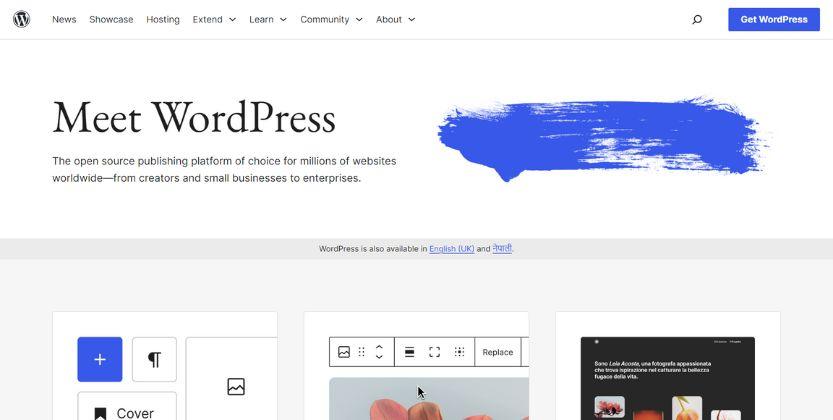
WordPress.org is the website or a platform where you can easily download the open-source WordPress software for free. It is a powerful content management system (CMS) allowing you to create, design, and manage website. WordPress.org is sometime known as “self-hosted WordPress” mainly due to its full control over their website.
The platform was created in May 27, 2003 founded by Mike Little and Matt Mullenweg. It was originally created as software for blogging purpose and with its popularity and increase in users; it has evolved into a giant platform to create any types of website from a simple blog to business website and e-commerce website for an individual to business and organizations. Presently, the platform powers over 40% of all websites on the internet.
Comparing to wordpress.com, wordpress.org allows users to find their own web hosting services and use their software in your selected web hosting plan. This allows users to have full control over their website from designing to maintenance.
Advantages of WordPress.org
- Complete Control
One of the major advantages using wordpress.org is the level of control it provides to the users. When you host your website using WordPress software on your server, you will be provided full access to the code, files, and database and also with advanced customization and flexibility. This is mainly suitable for developers and creative website who want their website with specific requirement.
- Advanced Customization Options
Using wordpress.org, the user will have full control over customization options. You will never be bound with what theme you can use and what plugin can be benefit to your website unlike wordpress.com. You will be able to access to thousands of free and premium themes, plugins, and templates which add extra functionality to your website. If you are creating a simple website or a complex e-commerce website, wordpress.org provides the advanced tools and resources to get your desired website to life.
- Scalability
WordPress.org is highly scalable based on your requirement. This benefits all sizes websites whether you are a starter or a website with high traffic having thousands of visitors every day. WordPress.org provider best optimization and advanced hosting structure, so you can easily handle your website without compromising performance and stability.
- SEO Friendly
SEO plays an important role for the growth of your website helping you gain organic traffic to your website. WordPress.org is designed with best SEO optimized structure and provide necessary features such as customizable permalinks, meta tags, and SEO related plugins to improve your site’s visibility in various available Search Engines such as Google, Bing, Yandex and so on.
- Community Support
WordPress.org has large community groups of developers, designers, and users who contribute to the platform’s ongoing development and support. If you have any technical issues or confusions, you can easily get help through these communities and look for better advices. The WordPress community is known for its generosity and willingness to help other success.
- Monetization and Ownership
When you host your website on wordpress.com, you will have monetization restriction until you do not upgrade their premium plan. But using wordpress.org, you are free from restriction. You will have full control over its monetization and distribution. WordPress.org allows users to monetize your site the way you want. Also you can easily create your e-commerce store using their plugins and create your display product advertise; create affiliate business, sponsored content, or selling any products and services (Physical or Digital).
Limitations of WordPress.org
Technical Expertise May Required
If you have little knowledge about how WordPress software works, you can easily able to create your desired website. In simple word, WordPress.org requires certain level of technical expertise to set up and manage your website. Having basic knowledge of web hosting, domain management, server administration for manage WordPress platform can benefit you create and manage website without hiring any professional developer. This saves your huge money and time. Similarly, having basic technical knowledge, help you solve any kind of technical issues arise or update your website and maintain backup. In short, you need to focus on both content creation and site management.
- Maintenance and Hosting
WordPress.com has a free plan where you can able to create and manage website. WordPress.org is free software, you can download for free. But to host your website on internet, you required hosting and domain name registration which you need to purchase. There are many web hosting and domain registrar companies available in the internet market today with affordable hosting options, price, quality hosting services, and price with features. User should take their time to choose one among these hundreds of web hosting and domain registrars to host your website.
To make your work easier, we have recommended some of the best web hosting companies so you can host your website to these web hosting companies including some best domain registrar company.
- Security Risk
WordPress.org is mostly targeted by hackers and malicious due to its popularity and open-source platform. WordPress software is a secure platform to create a website from small size to a giant website, but is targeted if a user commit various mistakes such as using poorly coded themes and plugins and not able to maintain server configuration. As a WordPress user, you must always stay attentive and take pro-active measures to secure your website such as using only highly coded themes and plugins, keeping software up-to-date, and implementing strong password and maintenance of control. Following these steps, you can able to secure your website easily. For more understanding about security risk maintenance read here- How to Secure Your WordPress Website?
- Plugin Compatibility and Updates
Plugins are like software users use it into their website to increase functionality of site. But sometime it can be the biggest threat when over use it or use the plugins with bad coded. Therefore, users should carefully learn about these available plugins before you install in your website and understand their regular updates to insure if they are compatible with latest version of website. In addition, where there is conflict between plugins or plugins with themes, the site might require troubleshooting and sometime case downtime and data loss.
- Potential for Bloat
There is always a chance of a website being bloat in WordPress.org due to the many plugins and themes that are present which lead to an increase in site loading times through introduction of heavier codes or additional functionalities that are not really required but used. This is why it is crucial for all users to be careful on the choice of their themes and plugins; hence, light weight and well coded plugins are recommended as they offer better services in regard to speed as well as ease of use among other features. The best way mitigate against this hazard would involve regularly reviewing what you have uploaded onto the site so that only those things bearing relevance remain thereby reducing chances of bloatage.
Similarity of WordPress.com and WordPress.org (WordPress.com vs WordPress.org)
WordPress Core
Both the platform is built using same WordPress software. This shows both the platform offer similar features and functionality.
Content Management
Both the platform offers powerful content management capabilities allowing users to create, design, edit, publish, and manage various contents such as blog articles, media files, data, and many more.
Search Engine Optimization (SEO)
Whether you choose WordPress.com or WordPress.org, you will have a best Search Engine Optimization features that helps you to improve your website’s visibility on search engine. Both platforms provide tools and settings to optimize your content for better search engine ranking.
Mobile Responsiveness
Concerning to the audience, it is important to have your website mobile responsive so your website can easily functions well on website. Both wordpress.com and wordpress.org provides the themes that are designed to have mobile responsive so it can be function to all available devices.
Community and Support
Both the platform provides strong community and support system if any of their users have any technical issues. The both platform provides various available resources, forums, and documentation.
Multilingual Support
If you are targeting an international audience or if you want to create content in different languages, you can able to do it using both platform. You can easily translate your website’s content and provide unique experience for your visitors.
Difference between WordPress.com and WordPress.org (WordPress.com vs WordPress.org)
| Feature | WordPress.com | WordPress.org |
|---|---|---|
| Hosting | Hosted by WordPress.com | Self-hosted (requires separate hosting provider) |
| Customization | Limited customization options | Complete control over customization |
| Plugins and Themes | Limited selection of plugins and themes | Unlimited selection of plugins and themes |
| Monetization | Limited monetization options (with certain plans) | Full control over monetization strategies |
| Cost | Free plan available, premium plans available | Costs associated with domain, hosting, and add-ons |
| Maintenance | Automatic updates and backups | Responsible for updates, backups, and security |
| SEO Tools | Basic SEO tools provided | Access to a wide range of SEO plugins and tools |
| E-commerce | Limited e-commerce functionality | Full e-commerce capabilities with plugins like WooCommerce |
| Support | Email and forum support available | Community support, documentation, and forums available |
WordPress.com vs. WordPress.org. Which one is best option for your Business?
There is no doubt that WordPress is an amazing software that helps you to create amazing blog and website whether you are a small blogger or a huge company and is free to use. But when selecting the right WordPress platform, you might have confusion that supports your business. Here, we will be providing some of the reasons for selecting any platform and also provide my recommendation.
Since, you are already aware about wordpress.com and wordpress.org with its advantages and disadvantage, you already have decided what platform suit your business. If you are still confused to choose one, we are here to explain its nature and business that suit these platforms.
Understand your business
Let’s mind our own business. If you are here just as a Hobbyist or a want to share some of your thoughts or information and do not care much as moving to professional then, WordPress.org is best option for you. It is because you do not have to spend money for sharing your thoughts to your audience. But if you want to have unique online presence that reflect your brand with spending minimum cost and have full control, then wordpress.org is a best option.
Full Control vs. Limited Control
When it comes to having control over your website creation and maintenance, choosing one platform can be crucial. When you choose wordpress.com, you do not have to worry about maintenance, control, updates, and backup. Every task is performed by the platform itself. You can just focus on content creation. If you are choosing WordPress.org, you will have to perform each activity from website creation to its maintenance. As a beginner, you might find wordpress.org little confusing and required some basic knowledge about website design, maintenance, updates, and backups.
Cost
Cost plays a major factor on selecting one best option for your website creation. WordPress.com provides free hosting service with sub domain, so you can create your website and presence your site online. But this does seems unprofessional and force you to get their premium packages which are costly. When you pay minimum cost on hosting and domain name through various hosting companies, you can easily create WordPress website with advanced customization and control over your website.
Monetization Options
Monetization is another key factor for making their earning from their website. WordPress.org users do not have any restriction on monetization of their blog and website. They can easily apply various adsense and can monetize their content. Also, wordpress.org largely benefits other small business such as affiliate business, dropshipping business, e-commerce website, or charity business. But as wordpress.com user, you will have restriction on monetization options or else get their higher premium plans.
Conclusion
In conclusion, choosing between wordpress.com and wordpress.org, is mostly depends on the nature of your business and purpose of your website. Nature of business means the types of business you want to create and present online and purpose of your website means what is your goal for creating it and is it a short term, learning purpose, or a long-term goal. Beside its nature and purpose, the other factor does impact when selecting such as the cost, monetization options, and power of integrations with full control and customization options.
My Recommendation – WordPress.org
WordPress.org is a superior choice for any users to create their website no matter what types of business you are creating, what business you are creating, and the size of your business. It fits for all. However, you may require some basic knowledge about creating and maintenance. Due to its easy and friendly interface, with some basic knowledge, you will be able to create your website and maintain your website.
More than drawbacks, wordpress.org has its benefits. WordPress.org has more to offer to their users with more than thousands of free and premium themes, plugins, and templates. Control is in your hand. WordPress.org also benefits developers as it is a open source platform and also can work with wordpress.org providing web designing services, being a freelancer, developers for WordPress theme and plugins, and more.
As user, you can also receive other benefits such as creating a highly professional designed website with low investment, add your own features, change your ideas into a reality, and provide you competitive advantage than other website with your own creativity.
Success Story
Allbirds is one popular footwear company known for providing best products worldwide. Allbirds choose WooCommerce on wordpress.org to create e-commerce store. This helps the business create a custom online shopping experience and allows integrating various marketing tools, and SEO optimization, and social media promotion. Allbirds has become recognized brand and one main reason is the flexibility and power of WordPress.org and WooCommerce.
Frequently Asked Questions (FAQs)
Question: 1 Is WordPress.org Good for Beginners?
WordPress.org is free software help you to create and manage any types of website for different business sizes. But you will have to pay for hosting and domain registration. With minimum investment, you can start your blog and website which can be best option for you to create website using WordPress. WordPress.com and WordPress.org provides simple and easy to understand user-interface but you do not need to worry about managing hosting. As for Hobbyist blogger wordpress.com is a good option. But most of the business and bloggers, WordPress.org is good option as it has the most benefits.
The benefits Includes
- Cost
- Advanced Customization Option
- Full Control
- Monetization
- Access to Unlimited Themes and Plugins (Free and Paid)
Question 2. What are the Best Hosting Services for WordPress?
In the internet market there are many web hosting companies’ available serving to provide web hosting and domain registration service to their users. We have selected some of the best hosting services for WordPress and are listed below.
- Siteground
- Hostinger
- TMD Hosting
- Hostgator
- BlueHost
- Namehero
Question 3. Is WordPress.org Totally Free?
Yes, WordPress.org provides free software to create website. You can visit their official website and download the software. You can use this software to create a website, learning purpose, or use it to your local computer as hosting server. But if you want to create website and make online presence, you will need to purchase a hosting and domain name.