

The world is changing with time because of digitalization. Learning Process has been digitalizing, businesses have been digitalizing, and become part of the growth of any economy of the nation. With these changes, individuals are shifting their economic activities adopting every new technology. Today in this article, we will be exploring one of the most popular CMS platforms, designed to create a website to present their business, information, and interests to the world.
So what is WordPress? and Why WordPress is so popular among various available Content Management System? WordPress is a platform created in 2003 by American blogger Matt Mullenweg and British blogger Mike Little, headquartered in San Fransico, California, America. This platform was first introduced as a blogging platform where individuals can create their blogs and present their information, knowledge, and experiences to wide audiences accessing the internet. With time and technological advancement, a blogging platform becomes a powerful Content Management System to create any website for developers, businesses, organizations, and other professionals.
Table of Contents
ToggleWhat is WordPress?
WordPress is a dynamic Content Management System (CMS) that helps individuals to design, develop, publish, and manage website. WordPress in simple word, it is free Open-source software developed to create and manage website to empower your blog and websites has online presence.
According to the report of 2023, Around 810 millions of websites use WordPress as a platform to create a website and blog. This means 43% of websites are designed using WordPress Platform. WordPress has an amazing user interface, which a basic programming and non-programming can easily understand and create a website. This is also the reason WordPress becoming a popular platform for non developers as we can create a website and blog saving our time and money.
Many people might wonder why WordPress defined as Open Source. It is because, its design can be easily modified and share as the design can be publically accessible. So, if it’s publically accessible, is it safe to create a website? And the answer is “YES”. Any website we create on WordPress is safe when you it’s safely use and managed. When resources are transparent, the security vulnerabilities are identified and solved quickly through various ways such as regular updates, getting best hosting and security plugins, using trusted themes and plugins, using strong password, and many more.
What language is used WordPress?
WordPress in general uses four Languages i.e. HTML, CSS, JavaScript, and PHP to build the structure, appearance, and interactivity. HTML, CSS, and JavaScript are implemented in the browser. And PHP is used primarily for server-side scripting that handles the core functionality, data processing and server interactions. JavaScript in WordPress helps for client-side interactions for user experience within browser.
Users of WordPress
WordPress is widely used platform for creating any websites due to its popularity and friendly user interface. As a new features introduced, the new users also get involved in the platform. Here are major 7 different users of WordPress and explained below.
Bloggers
Initially, WordPress was developed for Bloggers, Is always the first choice for bloggers to publish their content and present online. Bloggers can focus on creating content, providing information, knowledge, and experiences and publish it without any coding or programming languages. WordPress fits for every type of bloggers.
Businesses
Small or Large business organization, WordPress is best for all. WordPress helps to create a professional design websites without any hiring technical expertise. You can just use various available themes and plugins to build your professional looking business website and including functionality you want in your website.
Web Developers
If you are Developers, you can use WordPress to build a website for your clients. It a open-source software allowing developer to customize and add functionality to meet the requirement of the client. Also, as a developer, you can create WordPress website and plugins and sell to WordPress users or start a business as WordPress Developers.
Non-Profit Organization
Non-Profit Organization can use WordPress as a platform to create a website and provide information, programs, their mission and support. It’s a cost effective platform which helps save huge money for organization.
News and Media Outlets:
WordPress has an ability to handle large about of contents, manage authors and provide flexible publishing options. Many small news blogs are created using News and Media Outlets with best themes and plugins available for users.
Artists and Creative
New emerging Artists or wide known artists can grab opportunity to grow in the public eyes creating a website using WordPress. Through Websites they can show their talents and creative works to their audiences and become a guide to be the one. The WordPress has features that a artist and creative required.
Educators
WordPress serves best for individual who provides educational contents, resources and courses online.
Features of WordPress
Why WordPress is so much popular than other available platform in Internet market? What makes WordPress so unique in Business? And why this millions of people trust WordPress as their friend to build website and grow their business? Here, we will explore all available features of WordPress that clarify all the answers and motive to become the next WordPress users.
Simple and Friendly Interface
The first strategy every business involve is customer experience using their products or services. Having simple and friendly interface provides the best user experience that any common people can understand who it works and how we operate and manage in interface. In another word, the interface of WordPress is strategically managed.
Customization
WordPress is open-source software as its design can be easily modified and share as the design can be publically accessible. WordPress also enables to customization features through the themes, plugins and custom codes and modify website appearance from fonts to color and other necessary elements.
Themes and Plugins Available
Are you looking for a right theme or plugins to create a website like e-commerce, Membership, Travel and Tours, Hotel and Lodges, News portal, or social network? WordPress has it and help you create this website even if you do not have any knowledge about programming including their customer support. With WordPress, you can create any websites using their themes and plugins.
24/7 Customer Support
If you have any technical issues or queries regarding your WordPress and their platform, you can easily contact their technical assistance through online chat or via calls. They also provide community forums where you can ask those questions related WordPress and get you an answer.
Optimized for Search Engines
WordPress has a clean codes and user-friendly URLs and customization Meta tags helping your website easily optimized for Search Engines. WordPress is a trusted Platform by many Search Engines available in the internet market such as Google, Bing, Yandex, and other helping you rank your website and gain traffic. They also provide best search engine optimized themes and plugins adding you grow you website ranking and traffic.
E-commerce Build-in
You can provide digital or physical products through creating a e-commerce website using WordPress. WordPress has best e-commerce store built-in themes free and premium and plugins to build your own e-commerce store. In addition, you also can able to add different payment gateways to accept payment and ensures secure.
User Roles and Permission
WordPress allows assigning various roles and permissions to their different users and helping control and collaboration within their users. This help protect your website from transparency between the users and make them focus their given task.
Advantages of WordPress Platform
- WordPress for Multi Users: Any Individual and business of any field can use WordPress as the platform to create a website. Creating a website with WordPress is an easy step and does not required to technical knowledge. It has drag and drop interface through page builder plugins and design your website you need. As from any field, you can create a e-commerce store, business website, or portfolio website, the flexibility of WordPress ensures that your digital presence remain true to your vision.
- Opportunity for Entrepreneur: Through WordPress platform, any sized-business can create their business website and present their business in digital world. With the growth of internet users, WordPress play an important role to present their business saving their huge money and time. Through various available themes and plugins, the business can create their website and provide their business information, the products and services they sell growing their business.
- Regular Updates: WordPress provides regular updates including their feature enhancements, fix bug, and ensure security. This helps you always get up to date platform with the growing technology and protecting the upcoming threats as well.
- Multi- Languages: WordPress supports multiple languages for their users helping you create a website from global audiences. This also helps to translate the content to different languages.
The other Importance of WordPress is E-commerce Build-in, Customer Support, Flexibility, easy and Friendly Interface, customization, and numbers of themes and plugins, which we have described in features of WordPress.
Limitation of WordPress
WordPress does have some limitations. These limitations should be considered when using WordPress Platform. However, you can overcome these limitations with the available theme and plugins but cannot be ignored. Here are some their limitations described.
- WordPress required Hosting: WordPress is free software that can download and use it for creating a website. But you need to purchase a hosting plan and domain name to create a website. You can find various web-hosting companies that provide various hosting plans and domain registration. Choose the right domain registration and web hosting company with right hosting plan that fits your business. In case, if you are using wordpress.com, you are provided free sub-domain and free hosting to host your website but provided limited services.
- Technical Expertise Might Required: WordPress has simple and friendly interface to create and manage your website. However, you might sometime require technical expertise if you do not have any knowledge about WordPress and how it works especially, when dealing with server configurations, domain management, and trouble shooting. To overcome these issues, you can easily find WordPress related tutorials or receive support from WordPress if you cannot solve the issues.
- Security: Security is always taken as top priority when creating a website. When any security issues arise, Users must take responsibility for implementing security measures and maintain everything updates. To keep your site secure there are various ways which you can easily adopt and maintain your website secure and updated.
- Themes and Plugins Compatibility: You already know that WordPress is a open source content management system with various developers connected for the development of themes and plugins. There may arise any compatibility issues when WordPress updates and can lead to conflict and site instability. Therefore, to overcome these issues only use best themes and plugins from trusted source.
- Fast Load and performance: WordPress is a large size generally about 48 MB in size and core size come up to 30 MB. Due to which the website you create can be load slower. Choosing the themes that has light weight and using only plugins you required can help you load your website to some point.
WordPress.com vs. WordPress.org
Many people are often confused on wordpress.com and wordpress.org, whether they are same or different and what option can is best for your website. Both have their own advantages and limitations. We will be providing the meaning of these sites including its advantages and limitations.
What is WordPress.com?

WordPress.com is a fully hosted platform created to provide create a website and blogs to individual and businesses without need for extensive technical expertise. Which means you can easily create a website and maintain security and automatic updates for you. You do not have to work on maintaining security and updates.
WordPress.com is an excellent option for individuals, bloggers, and business organization that are looking for hassle free method of creating a website and blog without looking for web hosting and domain registrations. As a beginner it can be a option as it also provide free plan to create a website and learn how it works. Free option does have some limitations which force you to get a premium plan and get various features for website functionality.
Advantages of wordpress.com
- Fully Hosted: WordPress.com is a fully hosted platform, helping you create a website and blog without looking for domain registration and web-hosting services. This means it eliminates users in searching web hosting and domain registration including managing a website and maintenance of security.
- Easy To Use: With their user friendly and simple interface, you can easy to use wordpress.com to host your website. If you are beginner, you can take your time learning how WordPress works with their free plan and upgrade you plan after you learn enough about its interface.
- Maintenance and Security: It’s a hosted platform where webhosting to maintenance are performed by company for you. All you half of your works made easy using wordpress.com and you do not have to spend time in security maintenance and focus on business growth.
- Free Sub-domain: As a beginner, creating a website with wordpress.com provides free sub domain and web-hosting when using free plan. You have time to learn and host your website and as your website grows you can upgrade one of their plan and increase your website functionality.
- Scalability: From a Personal blog to a fully functional e-commerce store, you can scale your website using their free plan and paid plan. Grow your business with wordpress.com is possible as you focus on their paid plans than free plans.
- Statistics and Analytics: WordPress.com provides build-in site statics and analytics to help users to track your website performance and users engagement.
Limitation of WordPress.com
Free means Limitations: WordPress.com is a most disadvantages to free uses due to which they move to other platform to create a website as other platform provides extensive features than wordpress.com. With Free plan you can create a website but do not have includes any functionality. This does not seem much productivity for users in website growth.
Free Sub domains have trust issues: Every user feels safe to enter website that are top Level domains and other domains. Sub domain like yoursite.wordpress.com, people does not feel safe to use because these domain looks unprofessional and scams. As a information gainer, and researchers or even a customer looks for a professional looking domains and avoid such websites.
Monetization and Ads: Another limitation for beginner or free plan users is showing their advertisement in their blog. The blog created using free wordpress.com do not have permission to show ads and cannot be monetize. To monetize, you can get their paid plan but it’s costly. This made users to shift other platform or wordpress.org because its less expensive and has excess of higher functionality.
Pricing: If you are looking for free plan you are provided limited features and if you are looking their paid plan, it’s too expensive. This automatically shifts to other platform to create a website with unlimited features available such as wordpress.org or hiring a web developer.
Limited Features: To receive unlimited features on wordpress.com you need to choose the premium plan to expertise plan which are highly expensive. Any new business organization or small organization, these plans cannot be afforded. And even if you choose their low cost plans, it’s has few features included and is still costly than other available platform.
Pricing of WordPress.com
WordPress.com Provide Free plans to Expertise plan based on the features they provide. Check out their pricing and features they provided in each plans.
| Plan | Free | Personal | Premium | Business | eCommerce |
|---|---|---|---|---|---|
| Price | Free | $4/month | $8/month | $25/month | $45/month |
| Custom Domain | No | Yes | Yes | Yes | Yes |
| Ad-Free | No | Yes | Yes | Yes | Yes |
| Storage | 3GB | 6GB | 13GB | 200GB | 200GB |
| Themes | Limited | Basic | Advanced | Advanced | Advanced |
| Plugins | Basic | Basic | Advanced | Advanced | Advanced |
| Monetization | No | No | Yes | Yes | Yes |
What is WordPress.org?
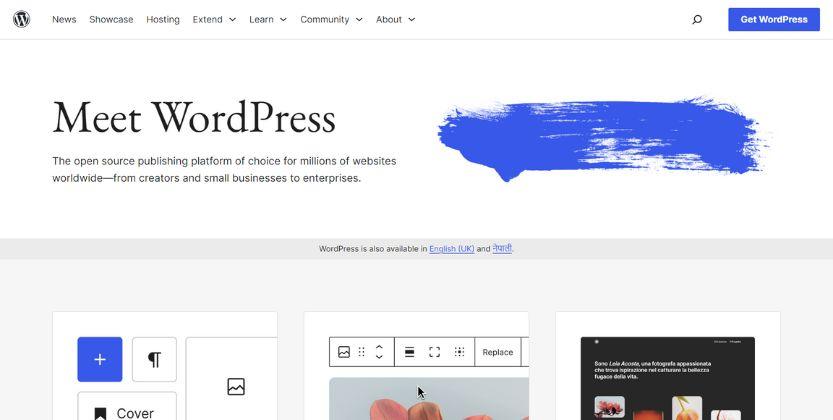
WordPress.org is a self hosted open-source content management system (CMS) to create and manage a website. It provides resources, documentation, and tools for users, developers, and contributors who are interested in using, creating and managing WordPress software. The software is free to download and installed on your own web hosting. Here you required your own web hosting and domain to install the software but provides more control on site security and performance.
WordPress.com is best for any sized business or individual who are planning to create a website or blog to achieve their goals. Many people prefer to use the wordpress.org to create their website and manage it saving their costs.
To install WordPress, you need to purchase domain name and web-hosting service. Therefore, it’s important to choose the right web-hosting company and plan and buy reliable domain from Registrar Company.
Advantages of WordPress.org
- Full control and Ownership: Like wordpress.com, there is very limited control on your website and ownership. While using WordPress.org, you have a full control on your website and own every data, files, and content. You are not bound by the limitations.
- Customization: The major limitation of wordpress.com was limited customization. But in WordPress.org you have high customizable functions. You can easily customize the theme or use your own designed theme, use own custom code, and increase additional functional of your website.
- Themes, Templates and plugins: As wordpress.org user, you can use free and paid themes, templates and plugins you desired to add on your website. If you have your own theme and templates, you can directly upload to your website that suit your website. Plugins helps in extend functionality of your site. The plugins help in maintaining secure of website, Optimizing the search engine, increase website performance and other functionality.
- E-commerce: You can create a e-commerce website using plugins like Woo-commerce and Easy Digital Download. These plugins helps you start a fully functional e-commerce website allowing you to sell any products and services online.
- Monetization Options: The one advantage of wordpress.org has it the option of Monetization. You can have full control on how you monetize your website through various was such as adsense, affiliate marketing, refers, and selling own products.
- Migration: You can easily migrate your website creating using wordpress.org to different hosting service providers and export every content to another platform if needed.
Limitations of WordPress.org
Security is your Responsibility: Unlike hosted platform, where every security and updates are maintained for you. Here you have maintain your security by yourself or hire technical expert to handle security measures. You need to update regularly WordPress core, theme and plugins to ensure security of your website. To overcome the problem, you are provided various security plugins, you and install and maintain security on your website.
Backup and Restore: The user is responsible for maintain the site’s backup and restoration incase of loss of data and other website issues. Failure to maintain backups can result in all your data loss and might work from beginning. To overcome the problem, the WordPress has backup plugins that help you maintain backup of your website and can restore it when there is data loss of website failure.
Downtime and Uptime monitoring: Users need to monitor their website for performance issues. Uptime shows the how long your server was on or available and Downtime shows the how long your server was off or unavailable. It is essential to monitor uptime and address the issues accordingly is essential. When selecting a web hosting company, you need to choose the web hosting which right best uptime.
Despite all these limitations, many users get most of the benefits from wordpress.org because all of these limitations can be overcome by using various themes and plugins and choosing the best web- hosting company. Also, users love to invest their time in learning and maintaining their websites.
Difference Between wordpress.com and wordpress.org
| Feature | WordPress.com | WordPress.org |
|---|---|---|
| Hosting | Fully Hosted by wordpress.com | Self-hosted on your server |
| Domain | Free Domain and custom domain available in paid plans | You can use any domain |
| Ad-Free | Available in paid plans | No control over ads |
| Control | Some limitations on customization | Full control over code and customization |
| Plugins | Limited selection available | Wide range of third-party plugins |
| Themes | Pre-designed themes with limited customization | Access to numerous free and premium themes |
| Maintenance | Managed updates and security | You're responsible for updates and security |
| Monetization | Available in paid plans | You have full control over monetization methods |
How to Download WordPress CMS?
You can download WordPress following these steps.
Step 1. Visit the Site www.wordpress.org
Step-2. You can find Get Hosting button on menu bar
Step-3. You can find the download button and Installation guide button, you can press the download WordPress with version and it will automatically download on your PC.
What is WordPress Hosting?
WordPress hosting is a type of hosting service provided by web-hosting company that are optimized specific requirements of WordPress websites. WordPress hosting provides the hosting designed to provide the best possible environment for running WordPress sites efficiently and effectively.
There are various types of WordPress hosting available for user so they can select one of their WordPress hosting plans and create a website. The four types of WordPress hosting are Shared WordPress Hosting, Managed WordPress Hosting, Virtual Private Server Hosting and Dedicated WordPress hosting. You can choose the right plan depending on your budget, technical expertise and any specific features of your website.
Here are some key features of WordPress Hosting
- Automatic Updates
- Focus on WordPress
- Simple and User-friendly Interface
- Plugin Compatibility
- CDN Integration
- Server-level Caching
Examples of websites created Using WordPress
There are more than 810 millions of websites created using WordPress Platform according to Report, 2023. We have listed some of the popular examples of websites created using WordPress
- The New Yorker: The New Yorker is a News and Magazine portal popular all over world. The magazine uses WordPress to create a website and publish their contents, articles, and multimedia contents.
- Mercedes-Benz: Mercedes-Benz is a luxury car manufacturer of Germany. The company uses a WordPress platform to share the brand stories and information of their cars and engage with their audience.
- BBC America: BBC America is an entertainment network. The company uses WordPress platform to provide news, video, and information related to their television shows.
- Beyonce: Beyonce is an American Singer, songwriter, and Business women. The website is built on WordPress platform to features her music, video, her tour information and merchandise.
- SONY Music: Sony Music uses WordPress platform serving as a hub for the latest music releases, news and information of music icons.
- Harvard University Blogs: The Harvard University Blogs uses WordPress platform to provide information related to their academic departments, research, and campus news.
- TED Blog: The TED Blog provides the information featuring the thoughts and ideas of their guest speakers and experts who participated in TED Events. The TED blog uses WordPress platform to provide the information.
- White House: The official website of White House uses WordPress Platform. The website provides information of government organization.
- NASA Blog: NASA blog is also created using WordPress Platform. The platform allows providing information related to scientists, researches and space enthusiast updates and discoveries.
- CNBC: CNBC focuses on personal finance, career development and entrepreneurship. The website created is based on finance and entrepreneur. The website is created using WordPress Platform providing these valuable contents.
- Walt Disney Company: Walt Disney’s official blog is created using WordPress Platform providing information, updates and news about their business.
- University of Washington: The website of University of Washington is powered by WordPress to provide the information about their academic department, research and updates.
Can I Install WordPress on my Personal Computer?
Yes absolutely. You can easily install WordPress to your Local Computer and learn how WordPress works and experiment theme and plugins and customization without affecting your website. This allows you to create a website you wish without needing to host and when it’s time to live your website, you can then purchase the web server and host your website. With the help of server you can create WordPress website for your clients or sell your WordPress templates. Follow these steps to install WordPress on your Local Host.
Step 1: Install a Local Server Environment: Before you download and install WordPress, you need to install local server environment. One of the popular Local Server is using XAMPP (Available for Windows, macOS, and Linux) or MAMP (for macOS). The serives provides a web server (Apache) and Database (MYSQL), and PHP that are required for running WordPress in your local Computer.
Step 2: Download WordPress: For WordPress CMS download, you can visit your official website – wordpress.org and download the latest version of the WordPress CMS.
Step 3: Install and Configure XAMPP/MAMP: Third step is to install XAMPP/MAMP on your local computer to start a server services.
Step 4: Create a Database: To create a database, you need to access the phpMyAdmin interface of Xampp or MAMP and create a new MySQL database for your WordPress installation.
Step 5: Install and Configure WordPress: You can Install or extract the downloaded WordPress files and move to your appropriate directory in your local server’s folder named “htdocs” and Rename the “wp-config-sample.php” file to “wp-config.php” and add on your data information.
Step 6: Access Your Local Site: Open your web browser of your computer and navigate to “http://localhost/yourfoldername” and you will see the WordPress installation process. Install the WordPress.
Step 7: Access your Local WordPress Dashboard: After you install the WordPress, you can now access to local WordPress dashboard by typing on browser http://localhost/yourfoldername/wp-admin and login using your username and password you have provided during WordPress installation process.
How to Login your WordPress dashboard?
Follow these steps to Login your WordPress Dashboard.
Step 1: Open your web browser and enter your website URL in the address bar. When you enter your website’s URL do not forget to add “/wp-admin” at the end if you have not change the wp-admin. For example, if your website URL is www.abcd.com, you need to type www.abcd.com/wp-admin to login your WordPress account.
Step 2: Enter your Credentials: The above URL redirects to WordPress login page and asks Username and Password. Enter the User name and Password you added during installation. If you do not remember username you can also add your email id that you used when creating WordPress account.
Step 3: Click “Log in”: As your provided username and password correct, you can now click on login button. Here you will move to your WordPress dashboard and now you can manage your website and do your activities you came for.
How to Identity what theme a Website is using?
WordPress Theme Detector tools helps you to identity what particular theme any website is using. We sometimes wonder what theme a particular website is using and make makes easy for us deciding the theme to use on your website as well. The WordPress theme detector, you can easily detect other elements such as their version, developer and features, and the plugins the company using.
However, some websites cannot be detectable in the public, but many of website can be detected which site is using a free WordPress themes or a Popular Premium Theme.
Here are some Lists of Website you can use to identity what theme a website is using.
- What WordPress Theme is that? - This particular tool helps you to identity which WordPress theme any website is using and provides additional information about the theme’s author and version.
- Is It WP - This website helps in WordPress Theme Detector and provides other useful information like plugin used by website and performance.
- Builtwith - You can also use builtwith website to check WordPress theme the company is using including Content management system.
- ThemeForest Checker - Sometime you might want to learn what premium theme particular website is using; Themeforest checker is a best tool for you. Here you can check the premium theme used by website particular form Themeforest Marketplace.
- WpTheme Detector - WpTheme Detector is a simple website that displays the basic information of website such as theme, version, and developers.
Best Place to Get WordPress Themes and Plugins
There are various popular sites you can get WordPress theme and plugins with other related resources. This entire website provides the best and secure themes and plugins that you can use for your website. They may contain free and paid theme and plugins. Consider your need and visit to these website to get a theme and plugins.
- WordPress Official Website: Offers free themes and plugins for your website that are approved by WordPress community. These themes are free and can get their premium if required for additional functionality.
- ThemeForest: The popular Marketplace to find wide ranges of theme and plugins for WordPress, Shopify, Opencart, Prestashop, and other users. All of their themes and plugins are premium.
- Codecanyon: Codecanyon is a part of Envato Market. It is a marketplace to get premium WordPress Plugins.
- WPMU DEV: Their official website is wpmudev.org. This website provides premium theme and plugins for your site.
- Woocommerce: This particular website is popular in offering the best free and premium theme and plugins related to e-commerce store to enhance your store.
Some Other WordPress Themes and Plugins Providers are
- Elegant theme: The Divi theme provider to enhance your website using Divi page builder.
- StudioPress: They offer child themes that work perfectly to your website.
- Thrive theme: The market offers conversion focused themes and plugins.
- My Theme Shop: The market offers well- designed responsive theme and plugins with regular updates and customer support.
- Creative Market: This is also similar marketplace like themeforest, where you can purchase wide ranges of themes and plugins and get themes and plugins for independent designers and developers.


